Assist agents in the moment, deflect with smart self-service, and turn service data into insight, not a chatbot bolted on.
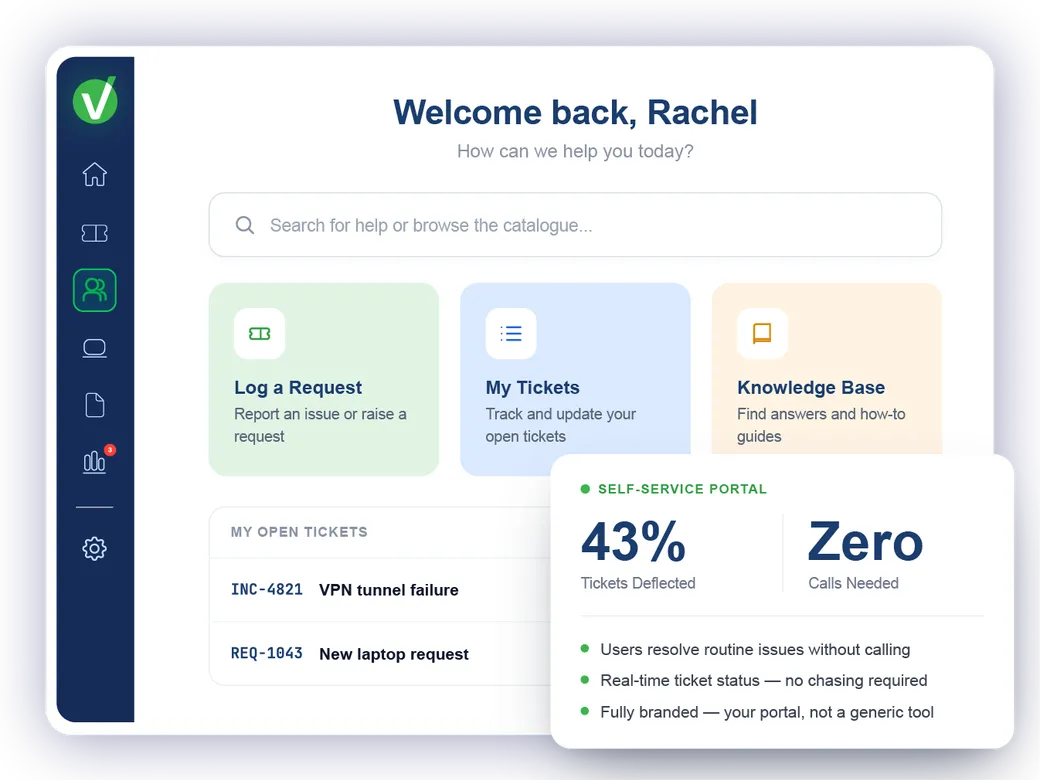
Explore all Vivantio AIPassword resets. Status updates. Standard requests. "Where's my ticket at?" — every one of these is a call or email that didn't need to be. Vivantio's self-service portal gives end users the tools to resolve the routine themselves, so your service team works on the things that actually require them.
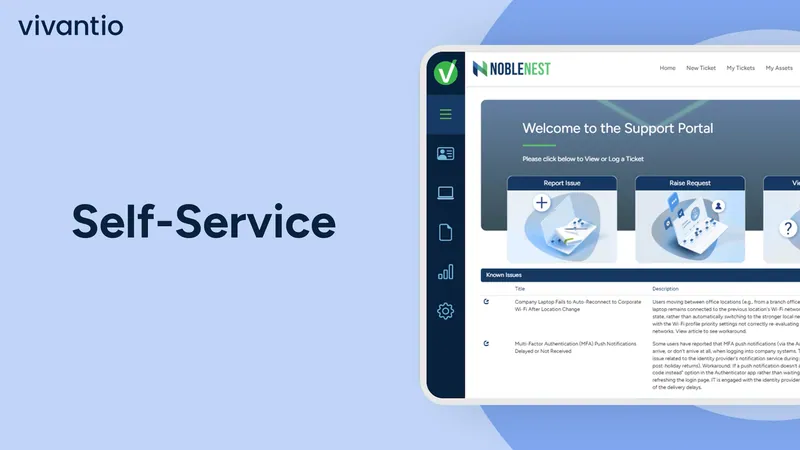
Fully branded. Users see your portal — not a generic tool.

Service teams at leading organizations trust Vivantio


When users have no self-service option, every request arrives without context, category or structure. Every one needs a human to interpret it before work can start.
Without a self-service portal
Status updates requested through every channel: agents answer each one manually
Standard requests arrive unstructured and require manual triage before work starts
Users cannot see their own ticket status without contacting the team to ask
Password resets and common requests fill queue capacity alongside complex work
With Vivantio self-service
Users check their own ticket status in the portal: no contact, no queue impact
Requests raised through the portal arrive structured and pre-categorised
Agents focus on complex work: routine requests are self-served without them
Common issues resolved by the user before a ticket is ever created
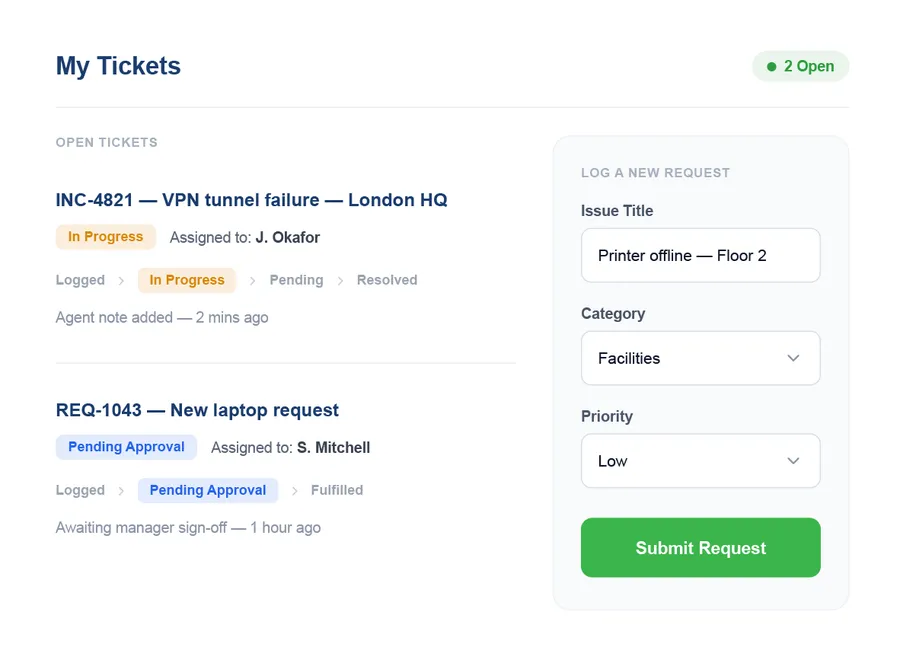
The self-service portal gives end users a clean form to log incidents and requests directly. Once submitted, they see the status of their ticket in real time — what stage it's at, who's handling it, and any updates from the team. Users who want to chase progress check the portal. Users who want to add detail update the ticket there. The service team's inbox carries less traffic.

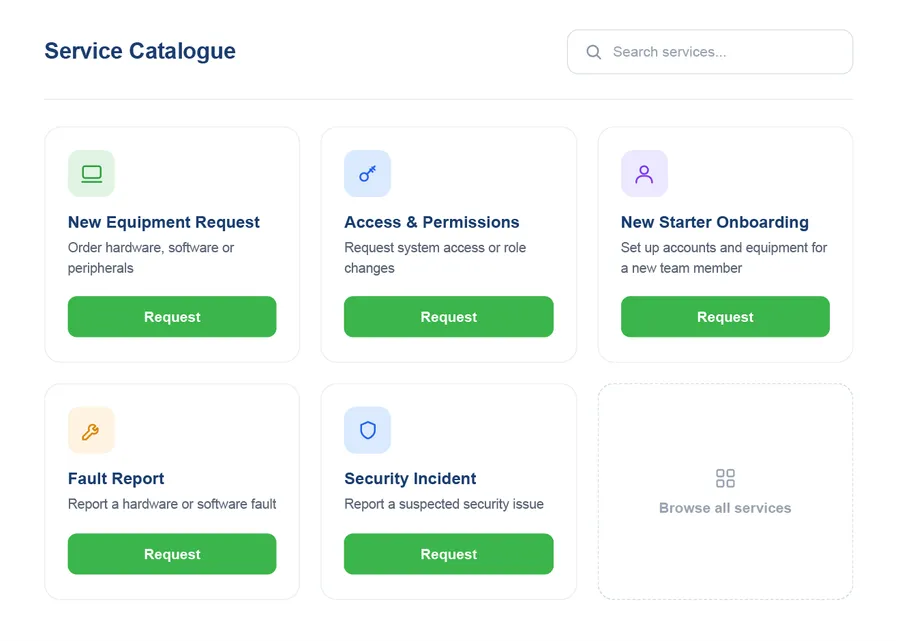
Vivantio's service catalogue presents available services as browsable, searchable request forms in the portal. Users find the service they need, fill in the relevant form, and the request triggers the configured fulfilment workflow automatically — including approval steps where required. Requests arrive structured, categorised and routed correctly, rather than as ambiguous email threads that need manual interpretation.

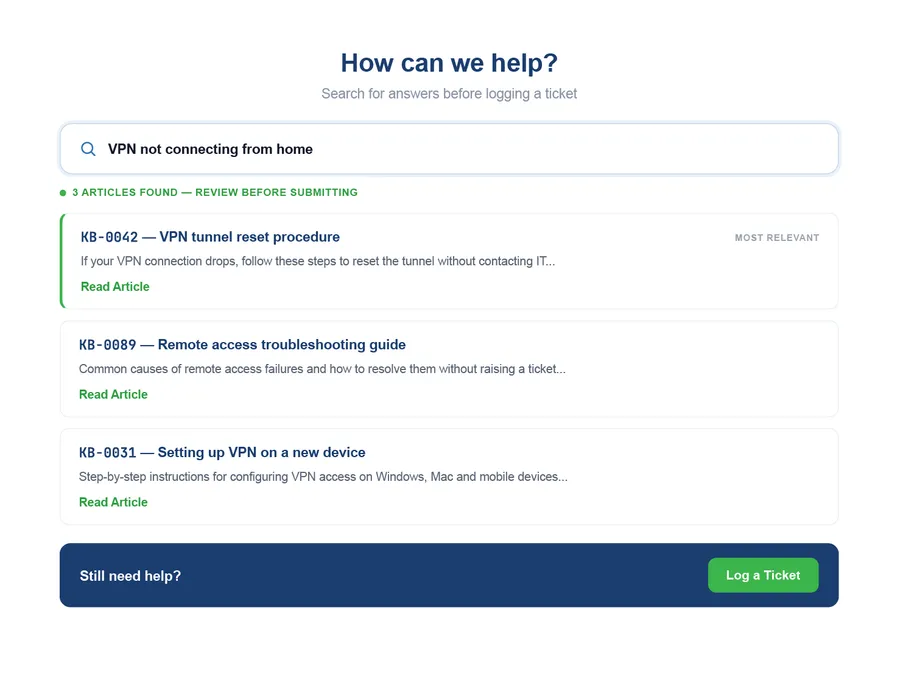
As users type their issue into the portal, Vivantio surfaces relevant knowledge base articles — giving them a chance to resolve the issue themselves before submitting a ticket. Tickets that can be deflected by a self-service article don't enter the queue. For tickets that do come through, the knowledge base remains available to agents resolving the issue and to users checking the portal for related guidance.

An IT self-service portal is a web-based interface where end users can log tickets, track request status, find answers in a knowledge base, and submit service requests from a catalogue — without calling or emailing the service desk. A well-designed portal reduces inbound ticket volume by deflecting common queries and requests, and gives users visibility over their own requests.
Yes. The portal is fully brandable — logo, colour scheme, and layout — so it presents as your organization's service portal. For organizations running Vivantio across multiple departments, the portal can be configured per team, so HR, IT and Facilities each have their own branded entry point.
Yes. The service catalogue presents available services as structured request forms within the portal. Users browse or search for the service they need, fill in the form, and the request triggers the configured fulfilment workflow — including any approval steps — automatically.
The portal reduces ticket volume by surfacing knowledge base articles at the point a user raises a request — suggested articles appear based on what the user is typing. If the article answers the question, the user resolves their issue without creating a ticket. Service catalogue forms replace ad-hoc requests with structured, routable submissions, reducing back-and-forth required to clarify requests.
We'll show you how Vivantio's self-service portal fits your user base and service catalogue — with a demo built around your team's request types.